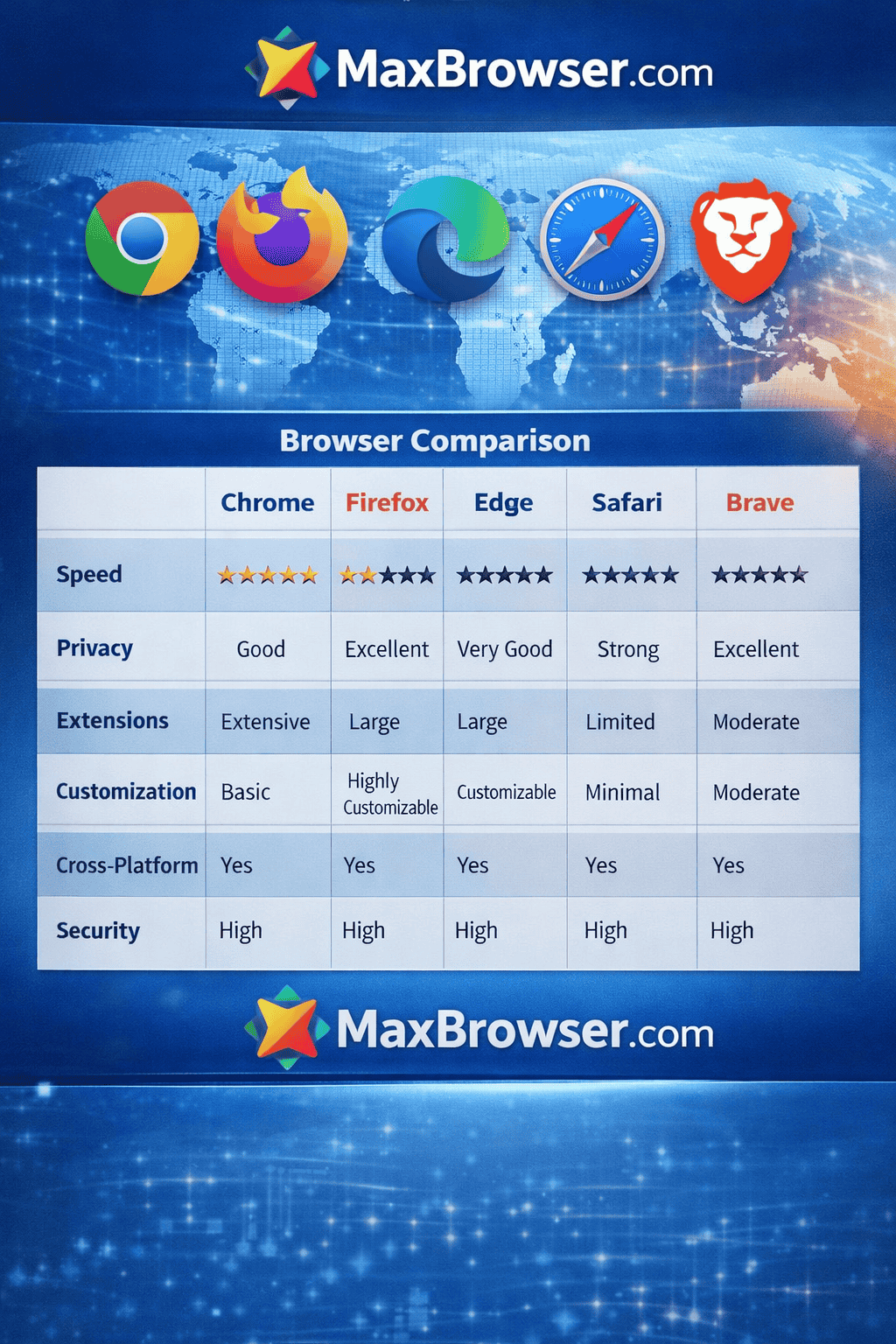
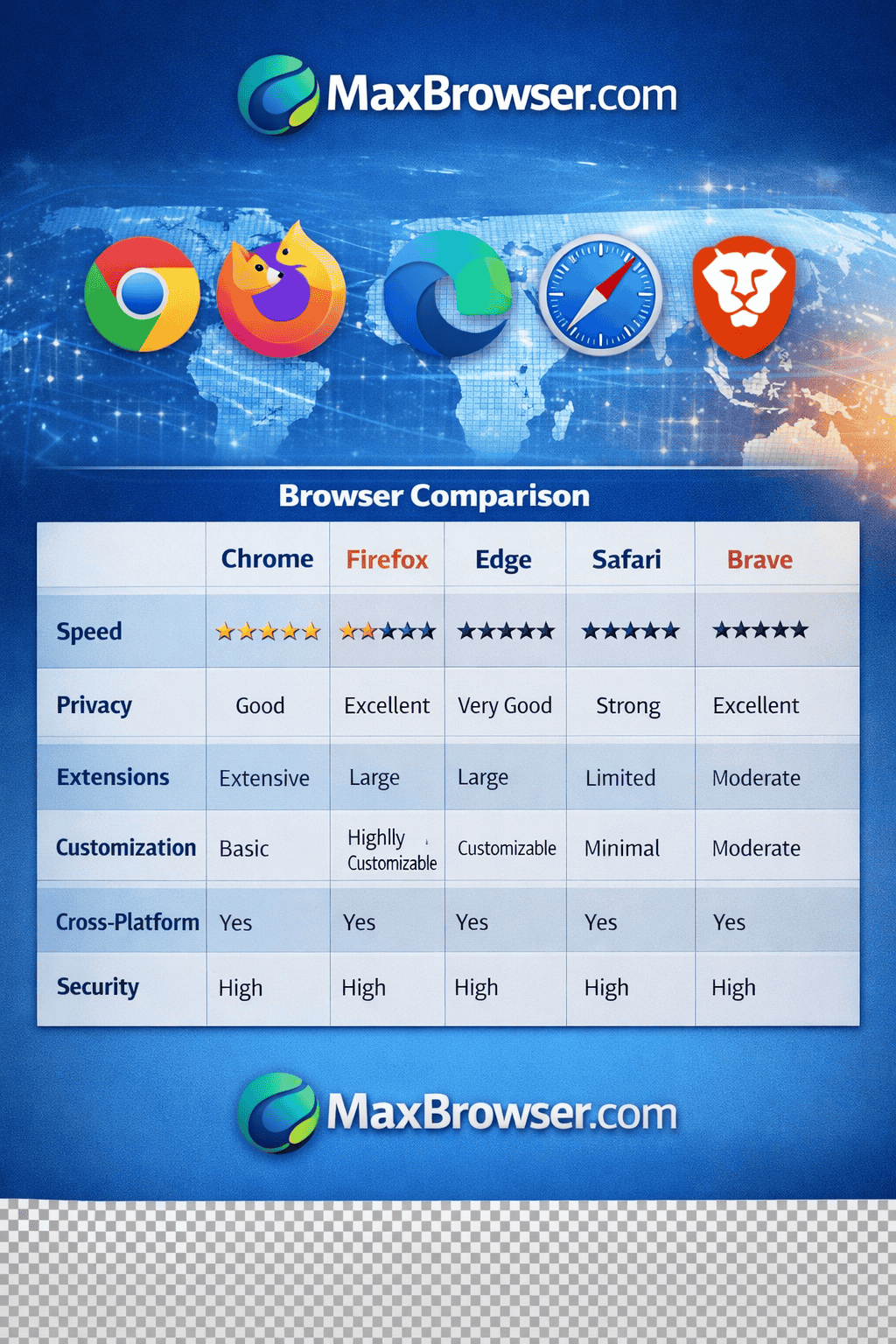
Desktop browsers are where people do deep work: long-form writing, research, spreadsheets, dev tools, and serious multitasking. The “best” desktop browser depends less on brand and more on what you value:
- Compatibility vs independence
- Performance vs battery efficiency
- Built-in features vs minimalist design
- Privacy defaults vs ecosystem convenience
This guide breaks down the leading desktop choices and how to pick confidently.
The big picture: who’s used most?
Globally, Chrome is the clear leader, with Safari and Edge following, and Firefox remaining a significant independent option. The exact numbers vary by source and month, but the “top tier” is consistent across most market share trackers.
1) Chrome: default for compatibility and web apps
Best for: people who want websites to “just work,” developers, Google Workspace users.
Why it wins:
- Excellent compatibility with modern web apps
- Strong dev tools
- Great profile and sync features
Trade-offs:
- Can be resource-heavy with many tabs/extensions
- Some users prefer a browser with different privacy incentives
2) Edge: Windows-friendly productivity browser
Best for: Windows users, Microsoft 365 environments, enterprise users.
Why it wins:
- Chromium compatibility + Microsoft workflow features
- Resource management features like sleeping tabs
- Strong enterprise management options
Trade-offs:
- More integrated features can feel “busy” if you want minimalism
3) Safari: best on Macs for efficiency
Best for: Apple-first users on macOS laptops.
Why it wins:
- Strong battery efficiency on Apple hardware
- Great integration with Apple ecosystem tools
- Often very smooth performance
Trade-offs:
- Smaller extension ecosystem than Chrome/Edge
- Best experience is within Apple’s ecosystem
4) Firefox: the independent choice
Best for: users who value privacy controls, customization, and web diversity.
Why it wins:
- Independent engine and governance
- Powerful privacy and customization options
- Great as a primary or “second browser” for testing
Trade-offs:
- Some web apps are optimized primarily for Chromium, so occasional compatibility friction exists
5) Opera: feature-rich browsing
Best for: users who want built-in workflow tools and a bold UI.
Why it wins:
- Great tab/workflow features
- Chromium compatibility
- Strong “browser as productivity space” concept
Trade-offs:
- Built-in features aren’t for everyone; some prefer a simpler browser
A practical decision framework
If you value maximum compatibility:
Choose Chrome or Edge.
If you value battery life on Mac:
Choose Safari (and keep Chrome installed as a fallback if needed).
If you value independence and customization:
Choose Firefox (and keep a Chromium browser installed as a backup).
If you want an “all-in-one” feature browser:
Choose Opera.
Power-user tips that apply to any desktop browser
- Use separate profiles for work/personal to isolate logins and cookies.
- Keep extensions minimal and trusted.
- Pin only your truly daily tabs.
- Use tab groups or workspaces to avoid tab chaos.
- Turn on syncing only for what you want (history, passwords, bookmarks, etc.).